---
title: "#145: Fixing Code Signing with match 🔏"
url: https://littlebitesofcocoa.com/145-fixing-code-signing-with-match
author: Jake Marsh
published: 2015-12-11
topics: ["Fastlane","Tools"]
description: "Code Signing. The very mention of certificates or provisioning profiles can send chills up an iOS engineer's spine."
---
# #145: Fixing Code Signing with match 🔏
By Jake Marsh, December 11, 2015. HTML: https://littlebitesofcocoa.com/145-fixing-code-signing-with-match
_Code Signing._ The very mention of certificates or provisioning profiles can send chills up an iOS engineer's spine.
We've all been there. Just finished up a great first pass at a new feature, or finally ready to submit to the App Store and BAM! We're stopped in our tracks by a confusing error related to code signing.
Today's [fastlane][2] Friday is a **big** one. Yesterday, a new [fastlane][3] tool launched. It's called [match][1], and it **fixes code signing**. Yes, really. Let's do this. 🚀
Most iOS teams have separate **code signing identities** for each member. This means most iOS teams have tons of **provisioning profiles**, probably lots of duplicates, invalid ones, etc.
Adding new **devices** or renewing **certificates** can be a huge hassle, and only makes on boarding new team members slower.
With [match][1], we can avoid these issues entirely. [match][1] allows us to share **one single code signing identity** across our development team.
We keep this single identity (and it's associated provision profiles) in one central location.
[match][1] automatically syncs our iOS **keys** and **profiles** using a simple **git repository**. It handles everything (i.e. creating **certificates** and **profiles**), while we retain complete control.
Let's setup [match][1] for a project. We'll start by creating a new **Github repository** to hold our certificates, profiles, etc.
We'll call it `certificates` and **make absolutely sure** it's set to be **private**!
 Then, we'll install [match][1] locally:
``` shell
gem install match
```
Next, we'll go into our project's main directory and run:
``` shell
match init
```
We'll be asked for the URL of the **repository** we created earlier, then a `Matchfile` will be created to hold a few settings.
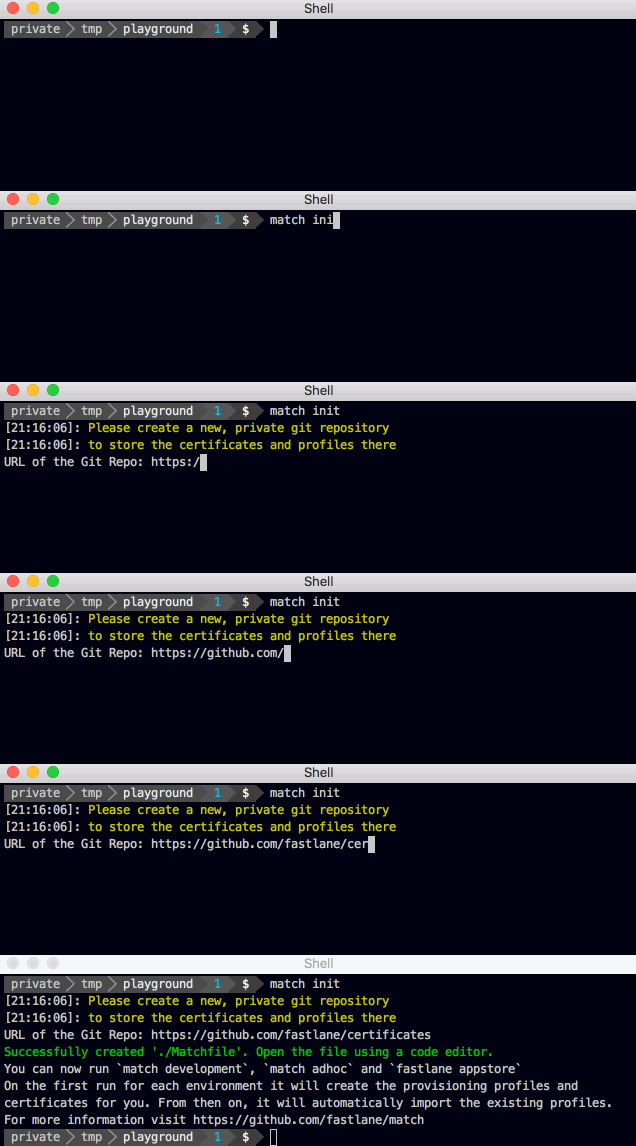 Next we'll run:
``` shell
match development
```
[match][1] will create a new **certificate** and **provisioning profile**, and store them in our **Github repo**. They'll all be encrypted using openssl! 🔐
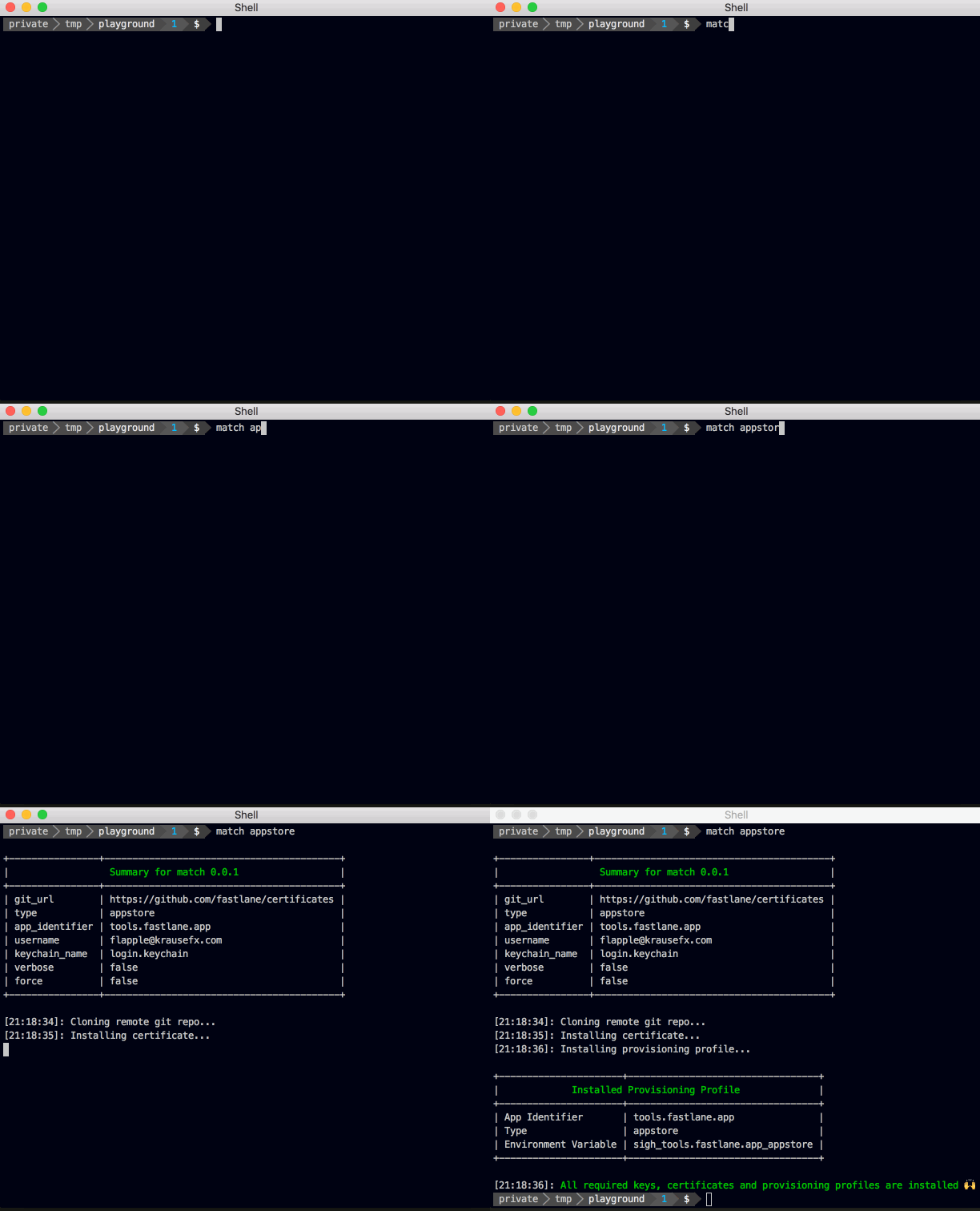 In the future, when we get a new machine for example, **we will only need to run that one command to pull down everything and install it all locally**. Incredible. Setting up new machines or team members has never been easier (or faster 🚗💨)!
This is only a small taste of how helpful [match][1] can be! Check out the incredibly well done complete guide that covers everything from start to finish at [codesigning.guide][4]
[1]: https://github.com/fastlane/match
[2]: https://littlebitesofcocoa.com/topics/56-fastlane?v=l
[3]: https://fastlane.tools/
[4]: https://codesigning.guide/