---
title: "#188: Adding a Top Shelf Extension to a tvOS App 🍸📺"
url: https://littlebitesofcocoa.com/188-adding-a-top-shelf-extension-to-a-tvos-app
author: Jake Marsh
published: 2016-02-10
topics: ["tvOS","UIKit"]
description: "One of the best parts of tvOS is the Top Shelf. It's the bit just above the top row of apps on the home screen that shows previews of each app's content..."
---
# #188: Adding a Top Shelf Extension to a tvOS App 🍸📺
By Jake Marsh, February 10, 2016. HTML: https://littlebitesofcocoa.com/188-adding-a-top-shelf-extension-to-a-tvos-app
One of the best parts of **tvOS** is the _Top Shelf_. It's the bit just above the top row of **apps** on the **home screen** that shows previews of each **app's** content when it's focused (think "Trending Videos", "Recent Photos", etc.).
Today we'll learn how we can provide this same type of functionality in our own **apps**, by adding a Top Shelf Extension. Let's get started:
We'll add a new **target** to our **app**. We'll create a new **tvOS** > **Application Extension** > _TV Services Extension_.
**Xcode** will generate a `ServiceProvider` class for us that conforms to the `TVTopShelfProvider` **protocol** and provides `TVContentItems` back to the system.
We'll use `.Sectioned` for our style so we can provide **items** like this:
 The `.Inline` style is neat too, but its purpose is only for displaying wide banners like the **App Store app**.
We'll create a single **section item**, then set its topShelfItems to an array of items for the things we actually want to display.
``` swift
var topShelfItems: [TVContentItem] { // ...
shipsSection.title = "Recent Launches"
shipsSection.topShelfItems = recentlyLaunchedShips()
.map { $0.asTVContentItem(sectionID) }
// ...
```
We can use `TVContentItem's` **properties** to customize/enhance its behavior:
``` swift
item.title = name
item.imageURL = NSURL(string: "https://spaceshipsapp.com/ships/\(identifier).jpg")
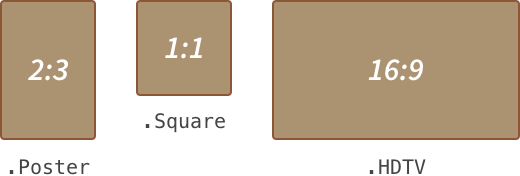
item.imageShape = .HDTV
item.displayURL = NSURL(string: "spaceships://ship/\(identifier)")
item.playURL = NSURL(string: "spaceships://ship/\(identifier)")
```
There's actually a lot of features packed into this little **class**: Simple things like separate **deep-link URL** for selecting, or pressing the **Play button** on an **item**, or more advanced functionality like the `currentPosition` **property**, which can help us display the user's "watch progress" on our **top shelf items**.
[Download a fully working example project here](https://media.littlebitesofcocoa.com/bite-assets/188-adding-a-top-shelf-extension-to-a-tvos-app.zip)
