---
title: "#208: Living with Xcode by Clearing Derived Data 🛠💩"
url: https://littlebitesofcocoa.com/208-living-with-xcode-by-clearing-derived-data
author: Jake Marsh
published: 2016-03-09
topics: ["Tools","Techniques"]
description: "Those who have been an iOS, OS X, tvOS, or watchOS developer for any significant amount of time know that Xcode is an incredible tool for creating awesome apps."
---
# #208: Living with Xcode by Clearing Derived Data 🛠💩
By Jake Marsh, March 9, 2016. HTML: https://littlebitesofcocoa.com/208-living-with-xcode-by-clearing-derived-data
Those who have been an **iOS**, **OS X**, **tvOS**, or **watchOS** developer for any significant amount of time know that **Xcode** is an incredible tool for creating awesome apps. Until it isn't. Sometimes **Xcode** gets confused and needs our help. Today we'll look at one way we can clean up our environment and possibly get back to work.
There's a myriad of reasons why the following technique resolves many common **Xcode** issues. The important part is that it works. Sometimes. Maybe.
Anyways, there's this folder full of "invariants" and temporary files that **Xcode** shuffles things around in as we use it to build our app. It's called **DerivedData** and contains caches, compiler waste, build products, etc.
If we ever find ourselves wondering if a certain compiler error or unexpected Xcode behavior really is our fault **or** a bug in **Xcode**, we can try clearing out this folder before jumping on the Google train.
The "manual" quick/dirty way is to quit Xcode then run:
``` bash
rm -rf ~/Library/Developer/Xcode/DerivedData
```
Then re-launch Xcode. Also keep those fingers crossed.
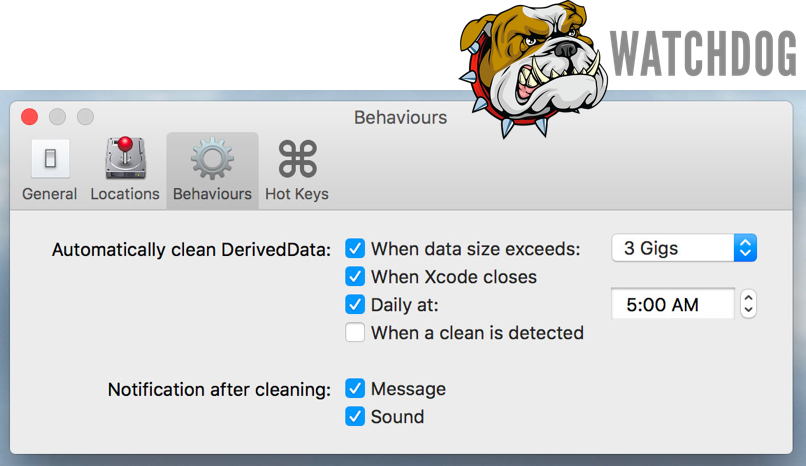
Alternatively, we could use an app to do all this for us. [Watchdog](https://www.cerebralgardens.com/watchdog) is an app that lives in our menu bar and cleans up stale cache files in **Xcode**. Very cool!